Fax.Plus - Send Fax from Phone
- 4.6
- Rating
- 1.00M
- Installs
- Free
- Price

 Analysis by App-foxy
I have always thought faxing from a phone sounds more useful in theory than it feels in everyday life. A fax machine is bulky, old-fashioned, and rarely worth keeping at home, yet some offices, clinics, insurers, property managers, and public institutions still expect documents to arrive that way. Fax.Plus - Send Fax from Phone is built for that awkward gap. It turns an Android or iOS device into a practical faxing tool, with the developer Alohi handling an app that sits in the Business category rather than trying to be a general document editor or office suite.
After using it as a mobile faxing option, my view is fairly simple: it is most valuable when I need to send a document quickly and do not want to find a physical machine. The convenience is real, especially when the file is already stored on my phone. At the same time, this is not a magic replacement for every office workflow. Costs can become important for regular use, and people who rarely fax anything may find a traditional office service or a free email attachment more sensible.
How the app feels in its current form
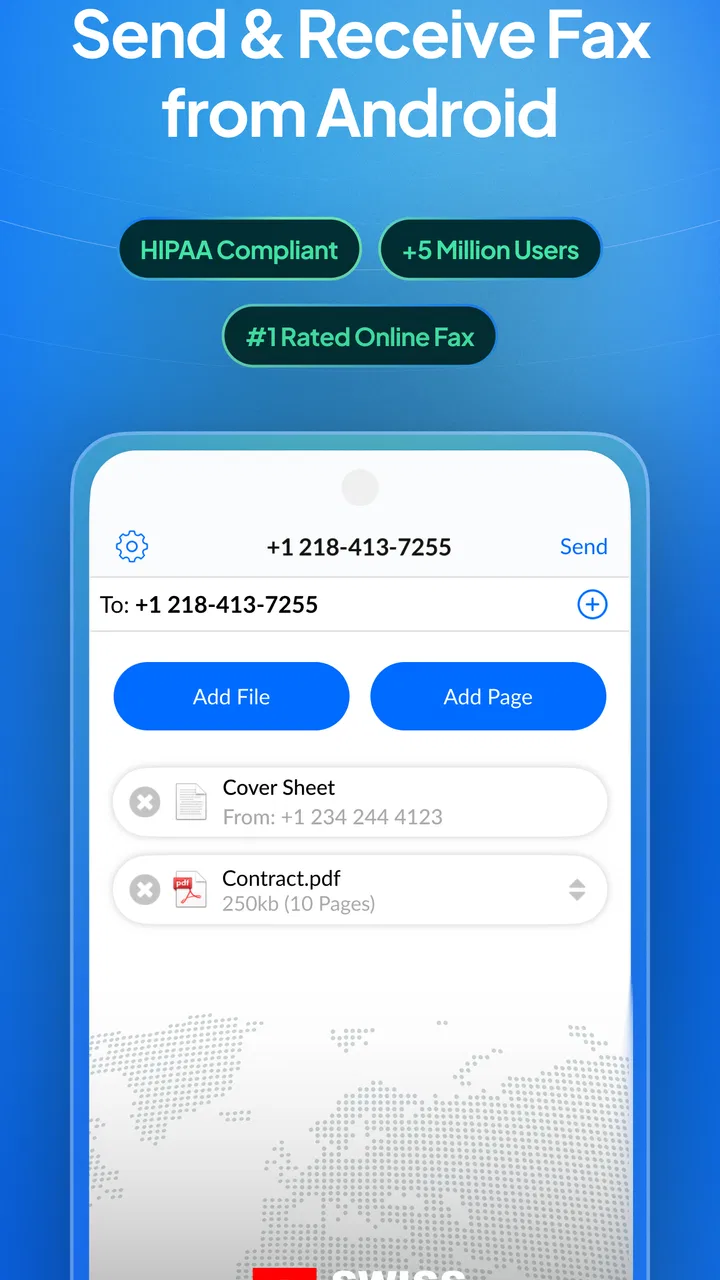
The current version is 19.10.0, and that gives the app the feel of a mature service rather than a newly assembled experiment. Fax.Plus has been available since November 19, 2016, so its purpose is easy to understand: select or prepare a document, enter the destination, and send it from a phone without owning a fax machine. The store summary is direct, but the practical benefit goes beyond that sentence. The app is useful because it removes the physical step that normally makes faxing inconvenient.
You May Also Like

 Blood Strike: 2.5 Anniversary
Blood Strike’s Loadouts Turn Every Drop Into a Tactical Gamble
A close look at Blood Strike’s custom loadouts: how fast access to signature weapons reshapes its battle royale rhythm, rewards preparation, and narrows the gap between fights.

 Pandora - Music & Podcasts
Pandora’s Music Is Easy to Start, but Harder to Recover
Pandora’s strength is its low-effort path from a seed to a station. Its weak spot is how much confidence it asks you to place in connection, setup, and quiet recovery.

 8 Ball Pool
 Is Built on Rivalries, Rematches, and Routine
A close look at the rivalries, rematches, shared routines, and unanswered safety questions that turn a quick pool match into a persistent mobile community.

 Samsung Music
’s Quiet Strength Is Playing What You Already Own
Its reach comes less from spectacle than from dependable access to a personal library. That simplicity is both the app’s strongest retention engine and its ceiling.

 AccuWeather: Weather Radar
AccuWeather Review: A Quick, Clear Forecast for Everyday Decisions
For everyday plans, the best forecast is the one you can understand quickly. AccuWeather makes rain timing, radar, and local conditions easy to act on, with a few trade-offs.

 Hill Climb Racing
Why Hill Climb Racing Still Turns Crashes Into One More Run
A tiny car, a bumpy hill and one more upgrade: Hill Climb Racing keeps resurfacing because its simple chaos makes every near-miss feel personal.
More From Our News Desk



In my experience, the strongest part of the workflow is the connection between documents already on a mobile device and the sending process. If someone emails me a form while I am away from my desk, I can work from that file instead of downloading it, finding a printer, locating a scanner, and then searching for a fax machine. That is a meaningful improvement for people who handle paperwork while visiting clients, traveling between offices, or working from home.
The app is free to install and is rated for Everyone, which makes it approachable for a wide range of users. Its average rating is 4.7 from around 29 thousand ratings, and it has more than a million installs. Those figures suggest that the basic idea is easy for many people to understand, although popularity alone does not tell me whether it is the best fit for a heavy business faxing routine.
One detail I appreciate is that the app is not trying to disguise faxing as something more modern than it is. The task remains document delivery, and the interface is most useful when I treat it as a focused utility. I would not open it expecting a complete replacement for a team document-management system. I would open it because I have a file, a fax number, and a reason the recipient will not accept email.
A realistic mobile workflow
A good example is a medical or insurance form that needs a signature and must be returned during the same afternoon. I can download the form to my phone, open it with a suitable document tool, sign it if the file supports that process, save the completed copy, and then bring it into Fax.Plus. The important advantage is not that the app improves the form itself. It is that the fax step can happen immediately after the document is ready.
I would still check the document carefully before sending. Mobile screens make it easy to miss a cropped page, a blank signature field, or a page that was saved in the wrong order. My practical habit is to review the entire attachment before entering the destination number. A fax sent to the wrong number is not made harmless by the convenience of sending it from a phone.
For a small business owner, another useful situation is an urgent supplier or authorization form received while away from the office. Instead of asking someone to operate a machine, I can keep the workflow with the person who already has the document. That reduces delay, but it also means the phone becomes part of a process that may involve confidential information. I would avoid sending sensitive paperwork on a shared device and would double-check the recipient every time.
What changed over the product’s life
The long period since its release matters because faxing is a narrow category. A service that remains available over many years has had time to settle into a recognizable role, and the current version shows that Fax.Plus is still being maintained as an active mobile product rather than abandoned after the initial release. I see that as useful evidence of continuity, but I would not turn it into a promise that every future update will change the experience in a particular way.
The version information is also helpful when deciding whether to install it on an older phone. The minimum operating system is Android 8.0, so the app is not aimed only at the newest devices. That broad compatibility is convenient for offices that keep a dedicated older phone for business tasks. It also means I would check the phone’s storage, document access, and operating-system support before assuming an installation problem is caused by the app itself.
What matters most in a mature faxing app is not flashy visual change. It is whether the core path stays dependable: finding the file, entering the number, starting the transmission, and knowing what happened afterward. The current version suggests an ongoing product, but my expectations remain practical. I want fewer mistakes and clearer status information more than decorative features.
There is an important distinction between a verified release fact and a future expectation here. I can say that version 19.10.0 is the current version and that the app has been around since 2016. I cannot reasonably assume that a later update will add a particular integration or remove every point of friction. If I depend on faxing for a time-sensitive business process, I would test the complete workflow before making it the only method available.
How existing users benefit from the current approach
Someone who already uses the app is likely to value familiarity more than novelty. Once the document-sending routine becomes part of a workday, the main benefit is having the same option available wherever the phone is. That is especially helpful for freelancers, field workers, small offices, and people who do not fax often enough to justify maintaining equipment.
The mobile format also changes who can take responsibility for the task. With a shared office machine, one person may need to scan and send a document on behalf of everyone else. With Fax.Plus, the person handling the paperwork can potentially complete the job directly. That can shorten handoffs, but it also increases the need for careful document review and record keeping.
I would keep a copy of every sent document in an organized folder rather than relying on memory. A useful naming pattern is the recipient, subject, and date, written in a way that makes sense later. This is not a glamorous tip, but it prevents a common problem: knowing that a fax was sent while being unable to identify which version of the document went out.
Another non-obvious trade-off is that the phone makes faxing feel casual even when the document is not casual. A quick tap can send a contract, identification form, or medical record. I recommend slowing down at the final review stage. The app can make transmission easier, but it cannot decide whether the attachment is complete, whether the destination is correct, or whether the recipient is authorized to receive it.
Where it compares well with ordinary alternatives
Compared with buying a fax machine, this app is more convenient for occasional users. There is no physical device to store, no paper path to clear, and no need to be in the same room as the equipment. It is also a better fit for a person whose documents arrive digitally, because the file can move from phone storage to the fax workflow without an extra print-and-scan cycle.
Compared with visiting a copy shop or office-supply store, the advantage is speed and privacy. I do not have to carry paperwork somewhere or hand it to a stranger. That matters when the document contains personal details. The downside is that a shop may be preferable when I need several physical copies, large-format scanning, binding, or help preparing an unusual document.
Email is still the better choice whenever the recipient accepts it. It is usually easier to attach a file, add context, and keep a conversation in one place. Fax.Plus becomes relevant when the recipient specifically requires faxing or when an organization treats a fax transmission as part of its established intake process. I would not fax simply because I can; I would use it when it solves a real compatibility problem.
A desktop fax service may be better for a team that sends documents constantly. A larger workflow can make central billing, shared records, and consistent procedures more important than mobile convenience. Fax.Plus makes the most sense to me when flexibility is the priority: one person, a phone, an occasional document, and a recipient who still depends on fax.
Costs, limits, and the people who should skip it
The free installation is appealing, but in-app purchases range from $8.99 to $949.99 per item. I would not interpret the presence of a free app as meaning that every level of fax use will remain free. Before using it for a business process, I would review the available purchase options inside the app and estimate how often I send documents. Occasional users and heavy users can have very different experiences with the same service.
This pricing structure is the biggest reason I would hesitate to recommend it blindly. If I send one urgent fax every few months, paying for convenience may be reasonable. If I send documents daily, I would compare the total cost with a dedicated online fax plan or an office service. The right choice depends less on the app’s installation price and more on the volume and importance of the work.
I would also skip it if my recipients already accept secure email or an approved document portal. In that situation, faxing adds an unnecessary conversion step. Likewise, someone who needs a physical signature, a paper original, or in-person assistance may be better served by a local business center. The app solves remote fax transmission, not every form of document handling.
People with older devices should pay attention to the Android requirement. Phones running an operating system below Android 8.0 are outside the stated minimum, so an older handset may need an update or replacement before it can be used. For iPhone users, I would still check the current store compatibility details on the device before planning an urgent transmission, especially if the phone is several years old.
Small habits that make the service safer and more reliable
My first recommendation is to prepare the document before opening the fax screen. Rename the final file, remove drafts, confirm the page order, and make sure the text is readable at normal size. This reduces the chance of selecting an unfinished attachment when several similar files are stored on the phone.
Second, separate preparation from transmission. I prefer to complete signatures and edits in the appropriate document app, save a final copy, and only then use Fax.Plus. Mixing editing and sending in one hurried session makes it easier to transmit the wrong version. This two-step habit is especially useful when a form has multiple pages or when a phone has both downloaded and scanned copies.
Third, keep a simple transmission log for important paperwork. I would note the recipient, the document name, the time sent, and any confirmation shown by the service. That record is useful when a recipient says a document did not arrive. It does not replace the recipient’s own records, but it gives me a clear starting point instead of forcing me to guess.
Finally, use a stable connection and avoid sending while distracted or rushing between appointments. A mobile fax app is designed for convenience, but the quality of the result still depends on the file and the attention given to the process. The best experience comes when I treat the phone as a serious business tool rather than as a shortcut that needs no checking.
What I would watch before relying on it long term
For existing users, I would watch how future versions preserve the basic sending flow and how clearly they communicate transmission results. Product evolution is most valuable here when it reduces uncertainty: knowing which file was sent, whether the attempt completed, and where to find the relevant record afterward. Those are the details that affect real work more than a redesigned icon or a new promotional screen.
I would also keep an eye on how the purchase options fit my own usage. A person who starts with occasional faxes may gradually become a regular user, especially after discovering that mobile access is convenient. At that point, it is worth comparing the ongoing expense with alternatives rather than assuming the first setup remains the most economical.
Privacy and document handling deserve the same attention. I would read the app’s current policies and permissions before sending highly sensitive material, particularly in a workplace where compliance rules matter. The fact that a fax is sent through a phone does not remove the responsibility to use an approved process for confidential documents.
My final impression is positive but specific. Fax.Plus is a practical bridge between modern mobile documents and organizations that still require fax. I recommend it to people who need that bridge occasionally or who work away from a traditional office. I would not recommend it as an automatic choice for high-volume teams, users who can simply email files, or anyone who needs physical document services. Its value comes from removing the machine, not from making faxing universally necessary.
For me, the decision is straightforward: if a recipient insists on fax and the document is already on my phone, this app is one of the most convenient ways to finish the job. I would install it, test a non-urgent transmission first, learn the purchase model, and create a careful document-checking routine. Used that way, the current version of Fax.Plus feels like a focused business utility with a clear purpose, useful mobility, and limitations that are manageable when understood in advance.
FAQs for Fax.Plus - Send Fax from Phone
01What platforms does Fax.Plus support?
Fax.Plus is compatible with both Android and iOS devices, making it versatile for a wide range of users. Additionally, it offers a web-based interface, allowing users to send and receive faxes from any internet-connected device, enhancing its accessibility and convenience for users on-the-go.
02Is my data secure when using Fax.Plus?
Yes, Fax.Plus prioritizes user security by employing advanced encryption methods to protect your documents. The app also complies with international security standards, including GDPR and HIPAA, ensuring that your sensitive information remains confidential and secure during transmission.
03Can I send international faxes with Fax.Plus?
Absolutely. Fax.Plus supports international faxing to over 180 countries. This feature is particularly beneficial for businesses and individuals who need to communicate globally, providing a seamless and reliable solution for international document transmission.
04What are the pricing options for Fax.Plus?
Fax.Plus offers a variety of pricing plans to accommodate different user needs. There is a free plan with limited features, as well as several premium plans that offer additional benefits such as increased faxing limits, priority delivery, and other advanced functionalities, suitable for both personal and business use.
05How user-friendly is Fax.Plus for beginners?
Fax.Plus is designed with user-friendliness in mind, featuring an intuitive interface that makes it easy for beginners to navigate. The setup process is straightforward, and the app provides clear instructions and support to help users send and manage faxes efficiently, even if they have no prior experience.
Pros
- User-friendly interface for quick navigation.
- Supports multiple file formats for faxing.
- Provides a secure
- encrypted transmission.
- Offers a free tier with limited faxes.
- Fast delivery with real-time status updates.
Cons
- Requires internet connection to send faxes.
- Free version has daily sending limits.
- Occasional ads in the free version.
- Advanced features locked behind paywall.
- No option for faxing physical documents.

Fax.Plus - Send Fax from Phone
Gallery